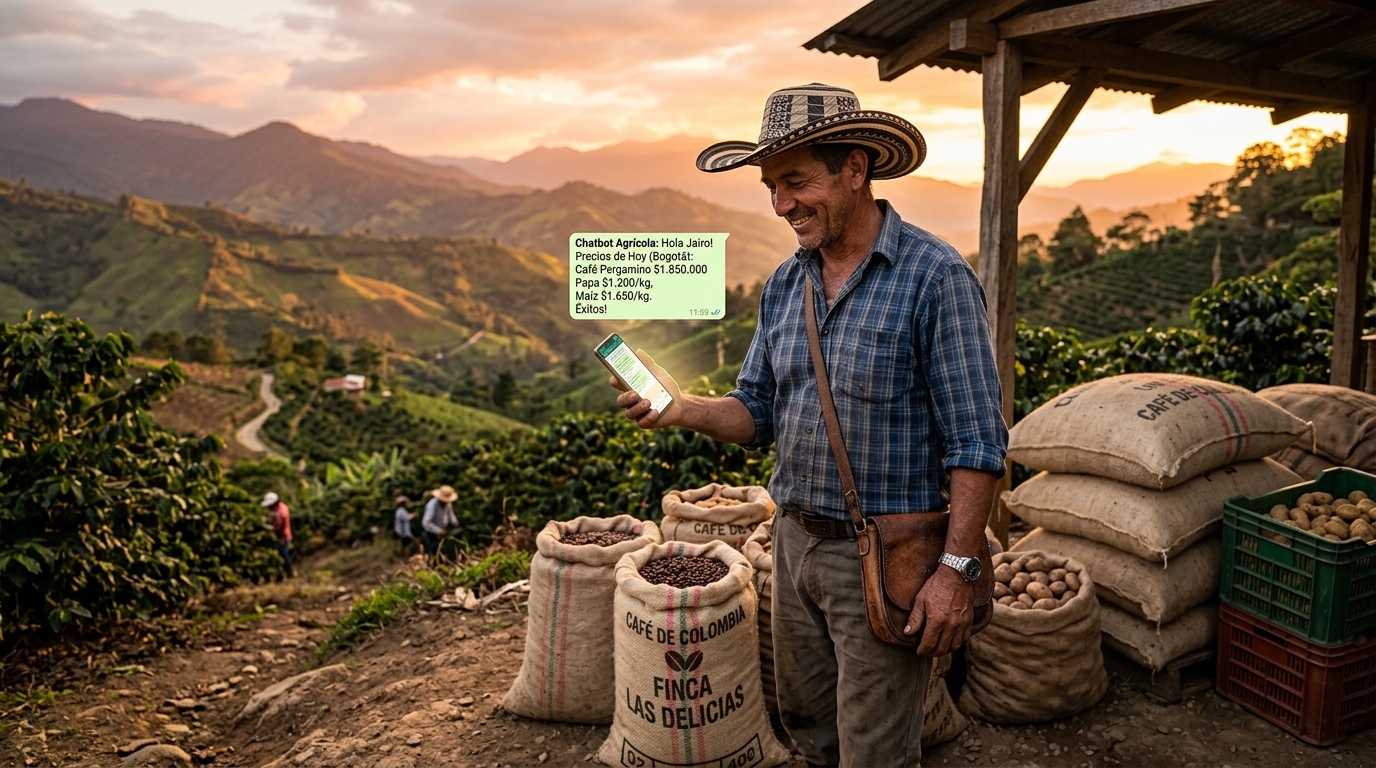
Conversational AI offers a practical, low-cost way to deliver personalized advisory services across agricultural value chains. In developing countries, free AI tools (e.g. ChatGPT, Google Bard, HuggingFace’s HuggingChat, WhatsApp bots) can empower smallholders, extension agents, cooperatives, exporters and other stakeholders with instant guidance on production planning, pest/disease management, quality control, market intelligence, documentation, and finance. For example, Digital Green’s FarmerChat (an AI chatbot) now assists over 1 million farmers in India, Kenya, Ethiopia, and Nigeria with hyper-local, multilingual advice on climate-smart practices. Likewise, Ulangizi AI in Malawi lets farmers speak in Chichewa on WhatsApp to diagnose pests and drought issues using ChatGPT. These cases show that even voice/text chatbots on basic phones can extend extension reach where traditional networks are weak.
Our analysis reviews how each stakeholder group can adopt free, no-code AI workflows for key value-chain tasks. We outline step-by-step “zero-coding” guides: e.g. a farmer on a smartphone can simply open a chat app, type or speak a question (in the local language), and receive AI-generated advice; extension agents can use ChatGPT via web or WhatsApp to prepare field training and manage queries; cooperatives can deploy open-source WhatsApp chatbots (like Glific or Botpress) with drag-and-drop flows for procurement updates, quality audits, or accessing government scheme info; exporters can use ChatGPT on a computer to auto-generate export forms, translate communications or supply chain documents; input suppliers might set up Messenger/WhatsApp bots to answer fertilizer or seed queries. Example prompts and prompt-engineering tips are provided to optimize results for low-literacy, multilingual users (e.g. using very simple language, bullet lists, local context).
We also recommend specific free platforms (web and mobile) and show how to configure them without coding. For instance, using ChatGPT’s free web interface or mobile app, or free-tier chatbot builders like Botpress (open source with GPT integration) for WhatsApp, or even the built-in WhatsApp Business quick replies for basic FAQ. We describe metrics to monitor (e.g. number of users engaged, queries handled, adoption rates) and suggest simple data collection (user surveys, SMS polls, bot usage logs). Finally, we address risks and ethics: ensuring farmer data privacy and consent, avoiding AI “hallucinations” by grounding responses in verified sources, training on local context to reduce bias, and emphasizing that AI complements (not replaces) human advisors.
Our report includes comparative tables of use cases vs. tools/benefits/limitations, example dialogue templates, and implementation flowcharts. All recommendations emphasize free, widely accessible solutions and cite official project documentation or research in agriculture AI (e.g. IFPRI/CGIAR GAIA project, USDA/NAL research, NGO press releases) and case studies.
Stakeholders & Value-Chain Activities
Smallholder farmers
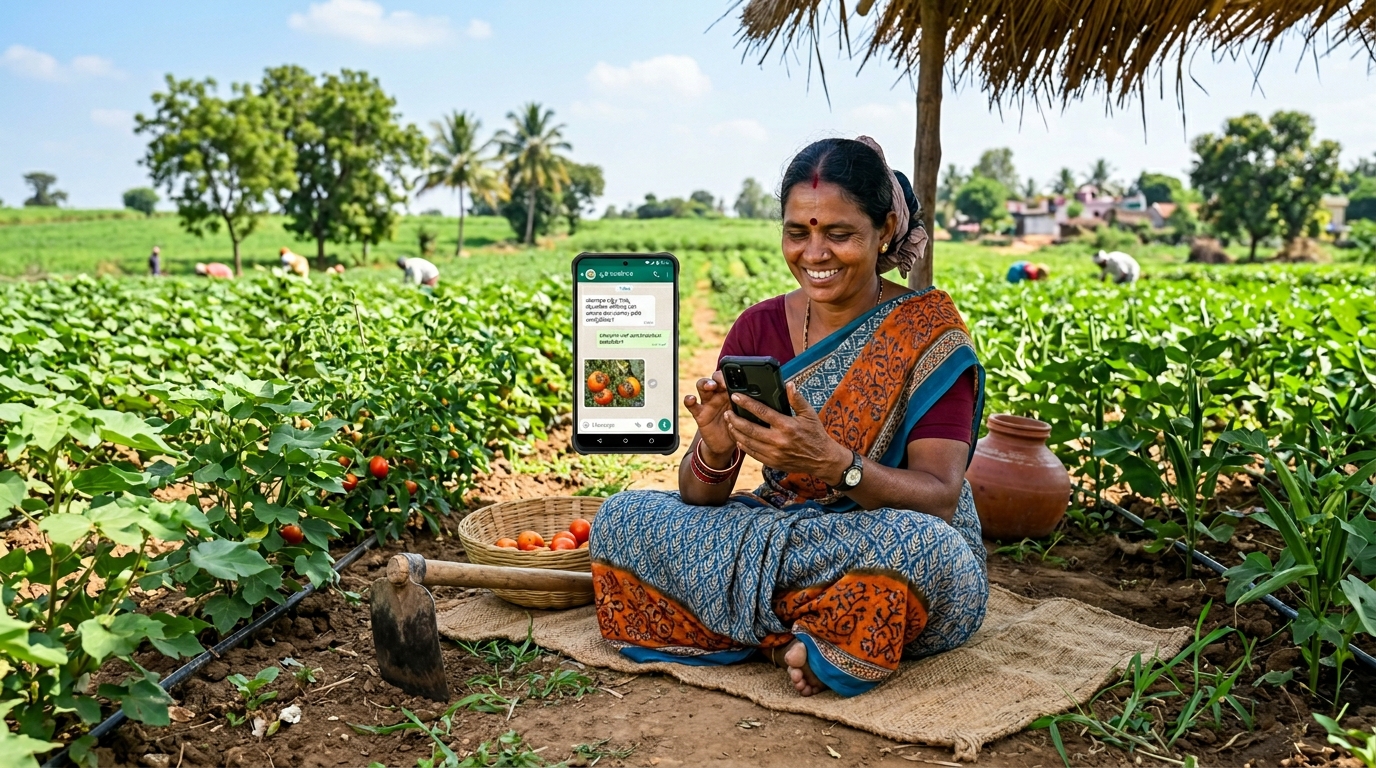
These primary producers can use conversational AI for production planning (e.g. when to plant or harvest), pest/disease ID and control, weather forecasts, market prices, and financial advice. For example, a farmer might text or speak in her language: “How can I protect my maize from stem borers?” or “नीचे की मिट्टी में बाजरा कब बोना चाहिए?” ChatGPT (or a local chatbot) returns simple, localized advice in kind. Key constraints (low literacy, limited data) are addressed by voice input/output, simple prompts (“explain in two short sentences”), and illustrative answers. The image below shows farmers using a chat-based interface in their language to get advice.
Extension agents
Agricultural advisors can leverage AI to prepare training materials, answer farmer queries, and do rapid diagnoses. An agent might input field observations into ChatGPT (“Rice leaves have yellow spots; what is this?”) to get possible disease names and treatment steps. ChatGPT can also draft outreach messages in local dialects. For example, Digital Green found that many Indian farmers received ChatGPT answers via voice or video in 15+ languages. Agents can use no-code bots (WhatsApp, Messenger) to broadcast bulletins on weather or schemes.
Farmer cooperatives / Producer Organizations
Farmer cooperatives/aggregators coordinate group activities: input procurement, collective marketing, quality control, and recordkeeping. Chatbots can help here too. For example, an FPO could set up a WhatsApp chatbot (using free platforms like Botpress or Glific) that lets farmers order seeds/fertilizer via chat, or list produce for sale. The Agrayan platform (for FPOs) shows this use: farmers chat to view input catalogs, ask about government schemes, or broadcast quantities to be procured.
In step-by-step terms:
1) coop staff design a dialogue flow (no coding) listing crop names or products;
2) farmers text keywords (via a WhatsApp number) and the bot replies with relevant info or collects responses;
3) staff export this data (simple CSV) for planning. Such systems create digital traceability (e.g. tracking which farmers sold which lots) and improve transparency.
Input suppliers (seeds, fertilizer)
They need to advise and sell products. A free chatbot (on Facebook or website) can handle routine inquiries about best fertilizer rates, seed varieties, or weather-based dosing. For instance, an inquiry “Most suitable rice seed for low-iron soils in Odisha?” can trigger an AI response. Companies could use ManyChat’s free tier to set up a basic Q&A flow, or simply have staff use ChatGPT to generate FAQ answers.
Exporters and Processors
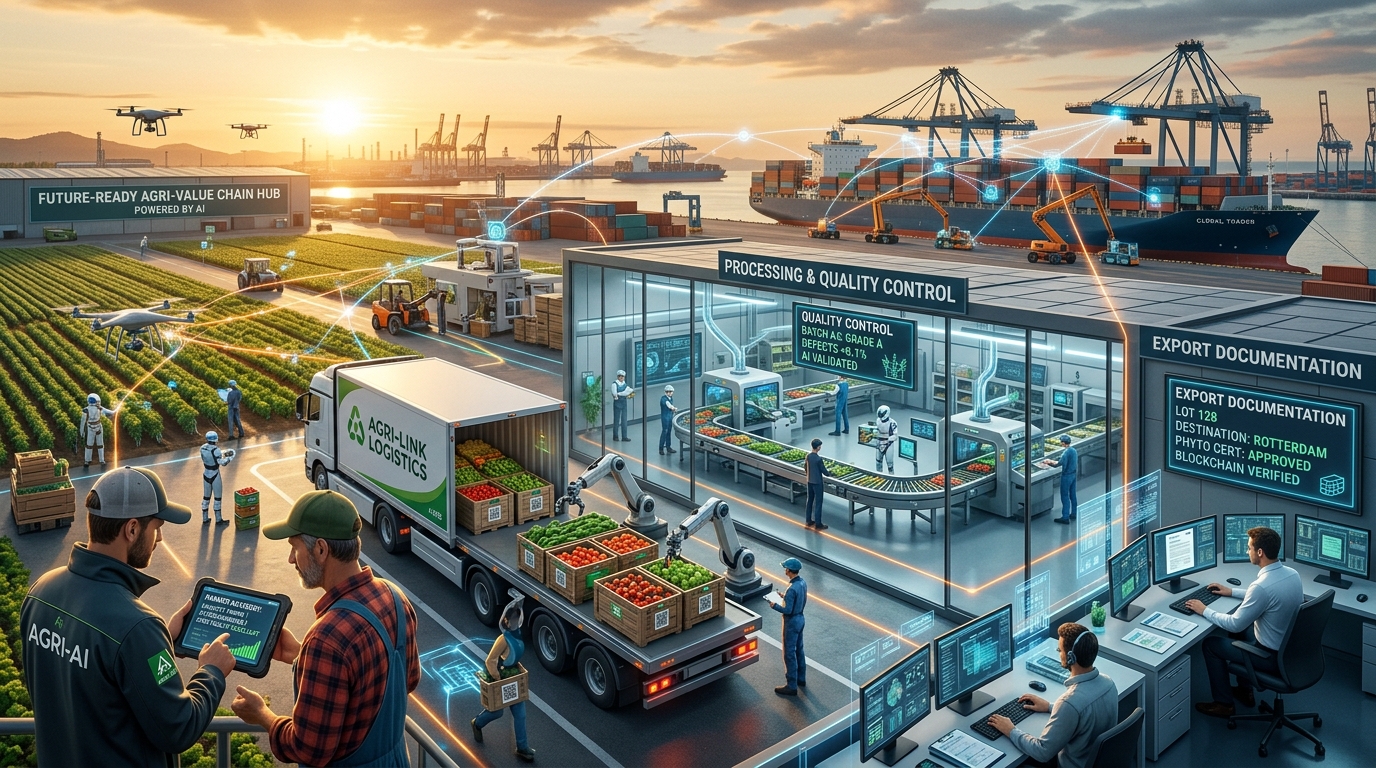
These value-chain actors handle quality control, certification, buyer communication, and documentation. Conversational AI can automate: e.g. ChatGPT can format harvest data into export documents (GAP certificates, invoices) or translate negotiation emails into English. An exporter might feed ChatGPT product specs and ask for a draft international buyer email. For traceability, cooperatives can use WhatsApp chatbots to log which farmer provided which batch: e.g. after purchase, a field agent texts the coop’s chat number with farmer ID and quantity, automatically building a digital ledger.
Logistics providers
They coordinate shipping and storage. No-code workflow: drivers or schedulers can query a chat interface (“What route to export warehouse avoids flooded roads?” using real-time weather data) or update schedules via WhatsApp bot forms.
In all cases, constraints in developing contexts require careful adaptation:
- Connectivity: Use low-bandwidth channels (SMS/USSD bots where possible, or voice calls to volunteers using AI); rely on asynchronous chat (WhatsApp) rather than real-time streaming. Projects like the USDA AI-ENGAGE initiative explicitly incorporate offline and limited-internet functionality and multilingual interfaces, showing it’s feasible to package AI advice even for rural areas.
- Literacy: Emphasize voice interfaces and very short text. For example, Ulangizi AI’s success hinged on letting illiterate farmers speak to the bot in Chichewa. Many platforms (ChatGPT app, Bard app) now offer voice-to-text and text-to-speech in multiple languages, which can be turned on for user convenience.
- Languages: Use AI’s translation features. A cooperative admin might type an English question into ChatGPT and have it “Translate the answer into Swahili” or simply chat directly in the target language. Tools like ChatGPT and Bard support dozens of languages, and open models on HuggingChat can be switched to contextually answer non-English queries (some models specialize in specific languages).
- Devices: Ensure workflows work on basic phones. For example, even if farmers have feature phones, an extension agent can act as an intermediary: the farmer calls or texts a field officer, who queries ChatGPT on a tablet and reads back the advice. Alternatively, some no-code tools (Twilio, open-wa bots) allow SMS-to-Chatbot bridges, though often with message limits.
No-Code Workflows and Templates
Below are examples of step-by-step workflows and templates for key stakeholders and activities. Each workflow uses free tools or interfaces (ChatGPT, Google Bard, Messenger/WhatsApp bots, etc.) and avoids any coding or paid API services.
Smallholder Farming (Production Planning & Pest ID)
Workflow: Farmer opens the free ChatGPT app (or Google Bard via web). In a “new chat”, she types or speaks her question, e.g.: “In [local language], मुझे बताएँ कि आगामी मौसम में बाजरा कब बोना चाहिए और आम तोड़ने के लिए क्या सावधानियाँ हैं।” (Hindi: “Tell me in two sentences when to sow pearl millet given the forecast, and how to protect mango crops.”) ChatGPT returns concise advice with steps. If images are needed, she uses an app like PlantNet (free) to identify pests/plants, or snaps a photo and an extension agent later runs it through an AI image classifier (free services like Google Lens or iNaturalist).
Template Prompt (English example): “You are a helpful agronomist. A farmer in [Region] growing [crop] asks in simple language: [insert farmer’s question]. Respond with practical advice in his local language.”
Tip: Limit answers to short bullet points or numbered steps to suit low literacy. For example, instruct: “Answer in 3 bullet points.” Use synonyms for local terms if model doesn’t know them (e.g., local pest names). If ChatGPT hallucinations are a risk, have a trusted extension officer review answers before dissemination.
Extension Agents (Farmer Query Hotline)
Workflow: An extension worker sets up a free WhatsApp or Facebook chat using a no-code builder. For example, they install Glific (open-source, free) on a hosted server or use Botpress’s free version, and define conversation “flows” via a visual interface (no coding needed). Flows can include: “If user says crop name, send relevant weather update; if says pest name, send curated advice.” The worker can upload CSVs of local crop data so the bot can reference. Farmers or field agents send WhatsApp messages to the number; the bot answers based on flows or falls back to ChatGPT integration for open-ended Q&A.
Example Flow: Farmer texts “aphids cotton”. Bot replies “Do you see small green flies? Say ‘yes’ or ‘no’.” Based on reply, bot either gives aphid treatment steps or asks clarifying questions.
Tip: Even without custom AI, the WhatsApp Business App itself allows Quick Replies and menu options. An agent could configure canned replies (no code) for common queries (e.g. “Reply ‘1’ for weather, ‘2’ for market prices”).
Cooperatives / FPOs (Procurement & Recordkeeping)
1. Workflow: The cooperative uses a free chatbot builder (e.g. Botpress, which offers a GPT-integrated free plan). They design a dialog like:
Chatbot: “Hello, how can I help? (Type ‘sell’ to list your produce, ‘buy’ to purchase inputs, ‘info’ for schemes.)”
Farmer: “sell” → Bot: “What crop and quantity?”
Farmer: “Maize, 50 bags” → Bot: “Thank you, we will call you for collection.”
All inputs are logged in the bot’s dashboard (no additional coding) for the coop to export. Similarly, for government schemes, a flow can check eligibility by asking a few questions, then outputting a link or list of steps.
2. Template Prompt (internal use): When updating the knowledge base, coop staff can have ChatGPT translate official scheme details into bullet-point guides. E.g.: “List the steps in Telugu farmers can follow to apply for the fertilizer subsidy scheme.”
3. Tip: Use the same phone number that farmers already use for communication (e.g. the cooperative’s WhatsApp group) to host the bot. This avoids needing new apps.
Exporters & Traceability
1. Workflow: Export cooperatives often must fill documentation. They can use ChatGPT on a laptop to draft or translate documents. For instance, “Write a certificate of origin for 1000kg of coffee beans from District X, using formal letter format.” ChatGPT outputs a template which staff copy into official forms. For traceability, after buying lots from farmers, field staff can message a chat (even a group chat) with batch details: e.g. “Lot#123: 1. Farmer A – 500kg, Farmer B – 300kg.” A bot (via a simple no-code Zapier or IFTTT workflow tied to email/SMS) can log these entries into a shared Google Sheet for recordkeeping (no API coding needed, only free cloud tools).
2. Tip: Use ChatGPT’s “Regenerate” or ask follow-ups to refine formal tone. For translations, prompt it: “Translate the above certificate into Spanish.”
Input Suppliers (Advisory & Sales)
1. Workflow: Vendors can set up a Facebook Page chatbot (via ManyChat’s free plan) to answer FAQs on crop nutrition. They enter chatbot flows (drag-and-drop) covering topics like “soil test advice” or “calibration of spray.” When a farmer types a query, the flow guides them or uses a keyword to trigger an AI answer (ManyChat can integrate GPT on paid plans, but for free use careful menu Q&A). Alternatively, sales reps can simply paste farmer questions into ChatGPT themselves and relay answers.
2. Example Prompt: “Farmer asks: ‘What fertilizer and dose should I use for red chili?’ Respond in simple terms.”
3. Tip: If many languages are needed, a simple trick is to ask ChatGPT to answer in the requested language explicitly. E.g., “Answer in Bengali: …”.
Throughout these workflows, example prompts and tips for low-literacy and multilingual users include:
- Use very simple language in both prompts and expected answers (“Give 2-3 short bullet points”).
- Frame queries as Q&A or dialogues: e.g., “Farmer: ‘My cowpea leaves are yellow; what do I do?’ – Advisor: ” to make the model adopt a helpful tone.
- Ask the model to “imagine explaining to a farmer” or to “speak in the first person of a local agronomist.” This can yield friendlier answers.
- Encourage voice input/output: ChatGPT’s mobile app allows voice recording, and can read answers aloud. For example, a prompt could be given by voice: “माेरी फसल में कीड़ा दिख रहा है, कौनसा उपचार करे?” and the answer comes in Hindi speech.
- Include local context: mention the country, crop variety, or village name in the prompt, which helps ChatGPT tailor advice (e.g. “in Bihar, India”).
Free Platforms & Configuration (No Coding)
Below are recommended platforms and how to use them without writing code:
ChatGPT (OpenAI): Free tier accessible at chat.openai.com (registration required). Works on any web browser or ChatGPT mobile apps (iOS/Android). To configure, simply log in and start a chat. No coding: all you do is type/voice queries. You can also use ChatGPT’s built-in options for translation and summarization. Limitations: must have internet; output may “hallucinate” without source checking.
Google Bard: Free at bard.google.com. Similar use as ChatGPT, with integration into Google account. Bard can use up-to-date web info (advantage for market news). Use it as you would ChatGPT, entering questions or copying prompts.
HuggingChat (Hugging Face): Free chat at huggingface.co/chat. It automatically picks an open model (like Llama or others). No login needed. Useful as an alternative if one service is down. Some models can be slower. Because it’s open-source based, it can sometimes answer in languages ChatGPT doesn’t know well.
WhatsApp/Telegram chatbots:
Glific (open source): Offers a drag-and-drop flow builder for WhatsApp or Facebook Messenger. Nonprofits can self-host or use a partner. Detailed docs at Glific.org. No programming: you map conversation branches in the UI.
Botpress: Install the free Botpress server (desktop or cloud) and use its visual flow editor. The Botpress “GPT” plugin (free for first 2000 messages) lets you plug GPT answers into flows. The interface is graphical.
ManyChat: Free tier for Facebook/Instagram; drag-and-drop editor. (WhatsApp support requires paid plan, so use only for website chat or FB Messenger.)
SendPulse: Allows up to 1000 WhatsApp sessions free. It has a no-code builder where you can set replies to keywords.
IFTTT/Zapier (limited free): Can connect SMS or Gmail to trigger ChatGPT (via Gmail + ChatGPT notifications) with zero coding.
SMS/Voice Interfaces: For areas without smartphones, one can set up interactive voice response (IVR) or SMS bots. For example, services like Twilio or Plivo offer pay-as-you-go, but free tiers exist for testing. No-code platforms like Voiceflow (free tier) allow building a simple IVR flow that uses GPT behind the scenes. Farmers call a number, press buttons or speak, and get AI answers read back. (E.g. a village hotline number could connect to such a system, with local language TTS).
Offline/Local LLMs: If connectivity is truly intermittent, one could download an open-source model (e.g. Llama2, or smaller multilingual ones) onto a computer or even smartphone (with advanced setup). Tools like ChatGPT Offline projects or Cobweb (open source) enable on-device chat with no ongoing internet. This requires technical setup, but once done, end-users just use a local app. Such setups preserve privacy and work offline. (Note: truly no-code offline solutions are still emerging, but one can cite it as a future path per GAIA research.)
Free tools for conversational AI use in agriculture
ChatGPT Web/App
Type & Channel: Web or app chat; text/voice
Use Cases: On-demand Q&A, document generation, translation
Free Plan & Limits: Free tier (3.5 model), about 50 messages/day
Pros: Highly fluent answers; multi-modal support (voice, images); supports many languages
Cons: Requires internet; may hallucinate; limited free usage
Google Bard
Type & Channel: Web chat (Google account)
Use Cases: Market news, Q&A, multilingual answers
Free Plan & Limits: Unlimited queries, subject to queuing
Pros: Up-to-date info; integrates Google search
Cons: Limited languages compared to ChatGPT; now has usage limits
HuggingChat
Type & Channel: Web chat (open-source AI)
Use Cases: Basic Q&A, multilingual support
Free Plan & Limits: Free, unlimited if the site is up
Pros: No login; uses various models you can choose from
Cons: Answers may be less consistent; occasional downtime
Glific (WhatsApp)
Type & Channel: No-code WhatsApp bot builder
Use Cases: Extension services, bulk advisory, surveys
Free Plan & Limits: Open-source, self-hosted
Pros: Designed for NGOs; visual flow editor
Cons: Requires hosting; some technical setup
Botpress
Type & Channel: Visual chatbot builder on the web
Use Cases: E-commerce and Q&A flows, integrates GPT
Free Plan & Limits: Free plan includes 2,000 messages/month, including GPT
Pros: Code-free GUI; integrates ChatGPT; supports multiple channels
Cons: Steeper learning curve; hosting needed
ManyChat
Type & Channel: No-code Messenger bot
Use Cases: Facebook and Instagram chat, marketing, basic Q&A
Free Plan & Limits: Free up to 1,000 contacts; WhatsApp is paid
Pros: Intuitive drag-and-drop interface
Cons: WhatsApp support requires a paid plan
SendPulse (WA)
Type & Channel: No-code WhatsApp chatbot
Use Cases: Notifications, surveys, simple Q&A
Free Plan & Limits: 1,000 sessions per month free
Pros: Simple setup; includes CRM
Cons: Limited sessions; branding in the free tier
Plant.ID / iNaturalist
Type & Channel: Mobile app
Use Cases: Pest and plant identification via images
Free Plan & Limits: Free, with limited daily uses
Pros: Instant species identification
Cons: Only identifies plants; internet required
Note: Sources are official docs and blog posts from the platforms. Free limits may change, so current plan restrictions should always be verified.
Example Prompts & Prompt-Engineering Tips
Simplify Language: Ask the AI to “use simple sentences” or specify a local language. E.g.: “Explain in three short bullet points, in Swahili, how to manage maize stem borer.”
Use System Instructions: In ChatGPT, prefix with a role: “You are an expert agronomist. Farmers ask you questions in [language].” This helps the model adopt the right style.
Ask for Numeric Lists: Low-literacy users benefit from numbered or bullet answers. Prompt: “List 3 easy steps to test soil quality.” or “Give 2-3 simple tips.”
Contextual Background: Include relevant context: “This farm is in Kerala during the dry season. The farmer asks: …” so advice is location-appropriate.
Voice/Audio: Encourage the use of voice by adding: “Answer as if I were listening, not reading.” (Some voice tools can be triggered by chat instructions.)
Local Terms: If ChatGPT gives scientific terms, follow up: “Translate that to the local language or common name.”
Ask to Verify: For critical advice, prompt: “Cite any government guidelines or FAO sources if used.” (ChatGPT can sometimes reference if asked.)
For instance, an example ChatGPT prompt for a farmer:
Farmer (Hindi): “मेरी गेहूं की फसल में सफेद कवक दिख रहा है; मुझे क्या करना चाहिए?”
Chatbot (English internal): “Answer the above question in simple Hindi, as if explaining to a farmer. Include steps to treat the disease and any prevention tips.”
This yields a response like:
- Chatbot: “गेहूं के पत्तों पर सफेद कवक़ी दाग दिख रहे हैं। इसे ‘व्हाइट रस्ट’ कहते हैं। इसका इलाज करने के लिए (1) अगर उपलब्ध हो तो फफूंदनाशक स्प्रे करें (विवासे पैकेट देखें), (2) सिंचाई ध्यान से करें, (3) पौधों के बीच की जगह रखें ताकि हवा पास हो। कल से तेज हवाओं या बारिश की चेतावनी दी गई है तो उपाय पहले ही कर लें।”
Monitoring & Evaluation Metrics
To measure impact and refine the AI tools, cooperatives and NGOs can track both usage and outcome metrics:
Metric | Description / Why Important | Data Source/Collection |
User Reach | # of farmers/suppliers using the chat service (by phone, group) | Bot logs or messaging group count |
Engagement | # of queries asked per user, daily active users, flows completed | Dashboard stats (as in Digital Green’s Data Studio) |
Response Rate/Latency | Time taken to answer farmer queries | Bot timestamps; or agent logs |
Helpfulness Rate | % of users reporting advice helped (via quick poll) | SMS/WhatsApp survey after interaction; field follow-up |
Adoption of Advice | % of farmers applying recommendations (self-reported in surveys) | Phone interviews or survey at next coop meeting |
Outcome Changes | Changes in yield, input use efficiency, cost savings vs baseline | Baseline vs endline farm data (few test plots) |
Training & Digital Literacy | Number of local agents trained to use AI tools; improvement in digital skills | Training attendance records; pre/post tests |
Cost/Efficiency | Staff time saved per query, or coverage increase per extension worker | Comparison of traditional extension workload vs AI-supported |
Equity Indicators | Gender reach (women users), language coverage | User profiles; content language analysis |
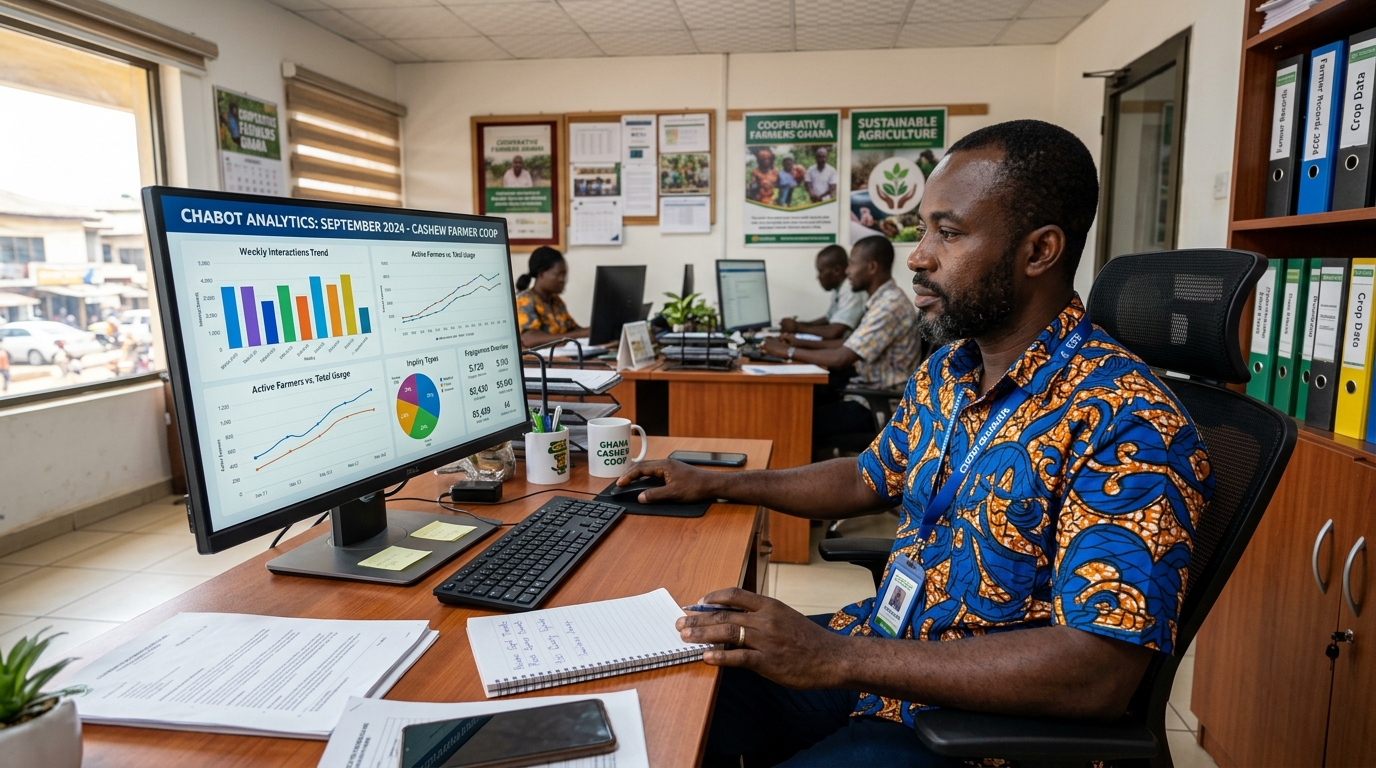
For example, Digital Green’s monitoring dashboard tracked overall user counts and “flows” usage: total contacts engaged, messages sent, and how many completed each conversation path. They used Google Data Studio to visualize (see Table) metrics like “flows initiated per contact” and “invalid responses” to see where farmers got stuck. Cooperatives can similarly use built-in analytics of Botpress/Glific or simple spreadsheets to collect these counts. Regular farmer feedback (via simple yes/no surveys in chat or in-person) can gauge satisfaction and guide prompt refinements.
Simple data collection can also be done offline: extension agents note in notebooks how many farmers used the chatbot or recall applying advice, and later enter this aggregate into a sheet. Mobile surveys (SMS or voice-call polls) can ask a few questions about usefulness. The key is to match metrics to objectives: if the goal is “reduce crop loss,” track advice adoption and yield differences in a small sample.
Risks, Ethics & Data Privacy
Deploying AI chat for smallholders raises specific risks: misinformation, privacy breaches, bias, and over-reliance. We recommend the following mitigations:
Verified Content / Accuracy: ChatGPT and similar models can hallucinate. Always cross-check critical advice against verified sources. For example, before recommending a pesticide or fertilizer dose, ensure it aligns with government or extension guidelines. IFC’s GAIA project notes the need to “ground generative advice in reliable agricultural knowledge”. One practical step is to create a curated knowledge base (e.g. FAQs from agricultural research institutions) and prompt the bot to prefer those answers. Or use RAG (Retrieval-Augmented Generation) approaches to feed local extension documents into the chat where possible.
Data Privacy: Cooperatives should collect minimal personal data. For instance, a WhatsApp number can serve as an anonymous ID. Do not collect sensitive info like exact income or health. If farmers register, ask only for name and general location, with clear consent: e.g. “Your data will help us improve the service.” Follow best practices from data cooperatives in ag (they emphasize farmer ownership of data). If using cloud AI (ChatGPT), avoid sharing personal details; anonymize examples.
Inclusivity: Ensure the tool doesn’t exclude women or minorities. Train prompts for gender-neutral language or specifically encourage questions from women. For example, Ulangizi and FarmerChat surveys noted that women used the service once they were informed it exists. Track user demographics (if possible) to adjust outreach. CGIAR’s GAIA work is developing an equity toolkit to make AI gender-sensitive; one key is involving female farmers in design and testing.
Bias and Local Relevance: ChatGPT’s training data may not reflect local farming realities. Correct this by adding context in prompts (“in Malawi conditions” or “for rice in Nigeria”) or by creating a local “style guide” document that the bot can incorporate. Where local knowledge conflicts with AI output, have a human arbiter. Regularly solicit farmer feedback on whether answers made sense.
Ethical Use: Be transparent that the advice comes from an AI, not a human doctor. Encourage farmers to verify critical issues with local extension. Limit the chatbot’s scope by program rules (e.g., it only answers agronomy queries, not medical or legal ones). Moderation or filtering can be used to block inappropriate topics (though ChatGPT models usually avoid these by default). CGIAR guidelines stress “doing no harm” and embedding ethics from the start.
Sustainability: Use open-source when possible so cooperatives aren’t locked into a paid service. Train a few local “AI champions” (young tech-savvy farmers or youth extensionists) who can maintain the flows and content, reducing reliance on external consultants.
Conversational AI can dramatically extend advisory reach in agri-value chains, but success depends on careful, context-aware implementation and ongoing human oversight. By following these free/no-code workflows, using recommended platforms, and measuring impact (with metrics and dashboards), cooperatives and farmers can harness the power of AI while safeguarding equity and trust.
By Kosona Chriv
Bibliography
FarmerChat – Digital Green
https://digitalgreen.org/farmer-chat/
How an AI-Based App Is Bridging the Information Gap for India’s Farmers | RF
https://www.rockefellerfoundation.org/grantee-impact-stories/how-an-ai-based-app-is-bridging-the-information-gap-for-indias-farmers/
Ulangizi AI helps farmers in Malawi with advice about pests, drought, and climate change - Rest of World
https://restofworld.org/2025/malawi-ulangizi-ai-farming-chatbot/
Generative AI for Agriculture (GAIA) – Phase I & II | IFPRI
https://www.ifpri.org/project/generative-ai-for-agriculture-gaia/
AI-ENGAGE: Bridging Global Knowledge and Local Needs through AI for Enhanced Agricultural Production, Sustainability and Resiliency (BRIDGE) | National Agricultural Library
https://www.nal.usda.gov/research-tools/food-safety-research-projects/ai-engage-bridging-global-knowledge-and-local-needs-through-ai-enhanced-agricultural-production
Opportunity International & Safaricom Launch New AI Chatbot for Smallholder Farmers | Opportunity International
https://opportunity.org/news/press-releases/opportunity-international-and-safaricom-launch-new-ai-chatbot-for-smallholder-farmers
Agriculture Chatbots for FPOs: 5 Powerful Ways to Engagement
https://www.agrayan.com/solutions/agriculture-chatbots-for-fpos/
Free WhatsApp Chatbot: 6 No-Cost Options
https://gurusup.com/blog/free-whatsapp-chatbot
Getting started with WhatsApp chatbots | IDR
https://idronline.org/article/technology/getting-started-with-whatsapp-chatbots/
Create WhatsApp Chatbot for Free! [No-Code] | SendPulse
https://sendpulse.com/features/chatbot/whatsapp
HuggingChat
https://huggingface.co/chat/
Glific
https://glific.org/m-e-in-digital-greens-farmer-chatbot/
Data Cooperatives Shaping Agricultural AI Ethics → Scenario
https://prism.sustainability-directory.com/scenario/data-cooperatives-shaping-agricultural-ai-ethics/